Samsung Overhauls Expert RAW for Galaxy S27 and One UI 9.5
An early build of the app shows a redesigned interface, customizable shortcuts, a burst mode and a virtual aperture range stretching to f/22.
 Merhabyte Newsdesk · · 2 min read
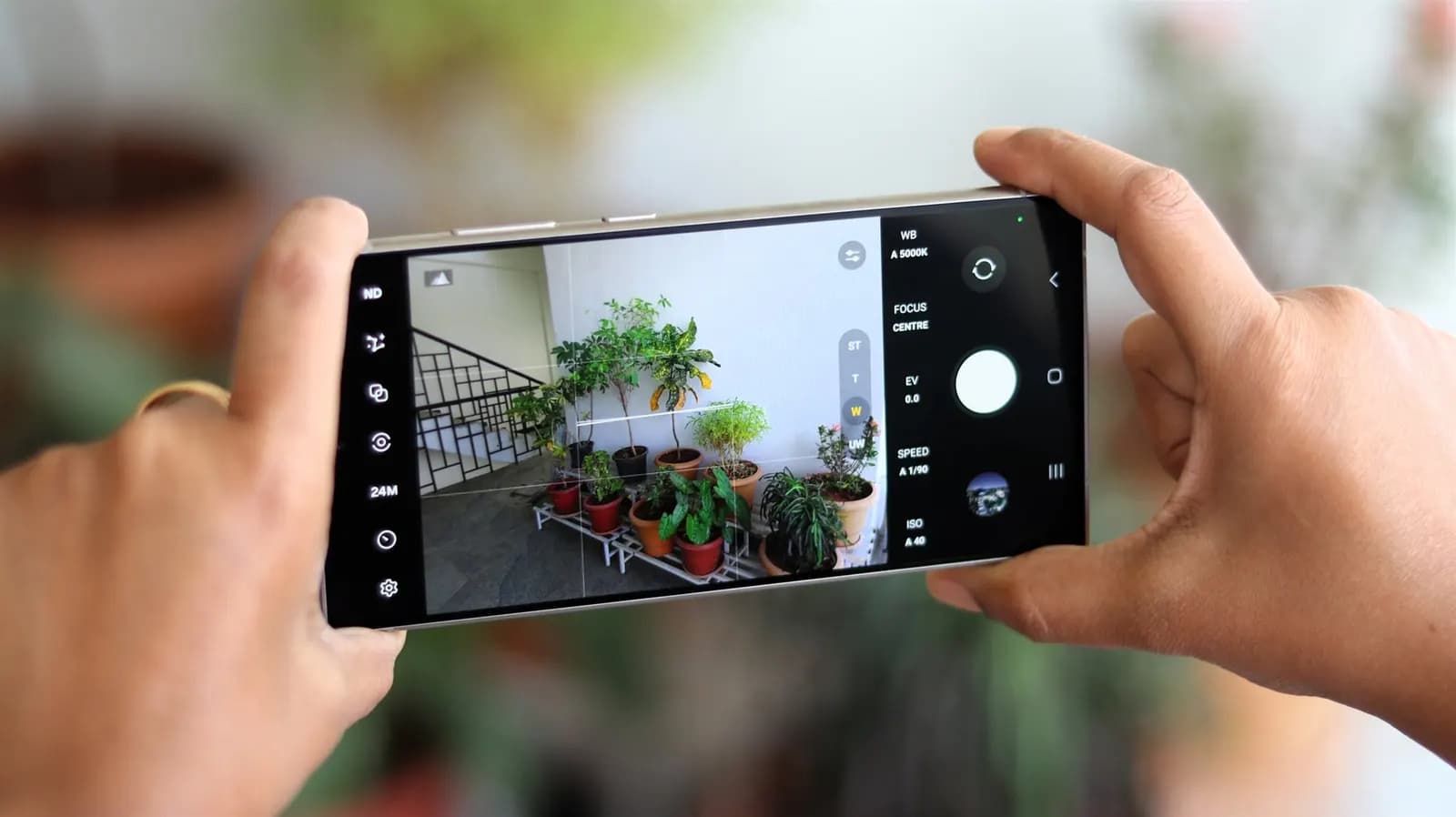
Samsung is preparing significant changes to Expert RAW, its professional photography app, to arrive alongside the Galaxy S27 series and One UI 9.5. An early build of the app has surfaced, and it offers a refreshed interface, more customization options and additional shooting controls.
The differences are visible as soon as the app opens. Labels on the manual controls are clearer, the settings panels are larger, and the quick controls menu has become a multi-row grid. Some menus now use translucent panels. Below, we go through the changes visible in this early build one by one.
Redesigned interface and custom shortcuts
The new shooting mode selector in the top-left corner gathers familiar tools in a single grid: Expert mode, Virtual Aperture, Virtual Reflector, the ND filter and astrophotography. These features already existed, so what has changed is how you reach them. The app can also be set to remember the last-used mode each time it launches.
Two customizable buttons sit on either side of the shutter. They can be assigned to camera settings, exposure lock, photo size, timer, aspect ratio, metering, histogram, focus highlighting or autofocus area selection, which keeps frequently used controls within easy reach.
A new lock button at the top right protects camera settings from accidental changes, and tapping it again unlocks them. The histogram has been updated too: tapping the small graph opens a large panel that shows the white, red, green and blue channels as separate curves, a far more detailed view than the compact overlay.
Burst mode and a wider virtual aperture
Virtual Aperture currently tops out at f/16 on the Galaxy S26 Ultra. In the new app, values from f/1.4 to f/22 can be selected, widening the range of the simulated aperture control. The feature still imitates depth of field and background blur in software as before. The Galaxy S27 series is not expected to get a camera with a physical variable aperture.
The app also gains a dedicated Burst mode. According to the app, each session can capture up to 30 frames, saved in DNG format, which yields RAW files that can be edited afterward. A warning notes that these photos will take up more storage.
A separate Tint control is being added next to white balance. Expert RAW currently allows only temperature adjustment when white balance is set manually. The ability to change the aspect ratio while shooting photos has also been added.
Hints of video recording
Expert RAW does not support video recording today, but the new build contains signs that Samsung is working in that direction. The settings include a Videos section with a video stabilization toggle, and in Ocean mode the video resolution and frame rate can be changed. These elements suggest video-related changes are under development.
In the build examined, however, video capture does not work yet, so it is unclear which recording modes and resolutions will be supported.
Finally, this is an early version of the app. With development of the Galaxy S27 series and One UI 9.5 still under way, Samsung may well make further changes before release.
Add as a preferred source on Google
Comments
No comments yet. Be the first to comment.