One UI 9.5 leaks point to an app lock for Galaxy phones
Samsung hasn't announced the update, but leaked builds and early app versions suggest One UI 9.5 may bring an app lock, a more capable Bixby and a glass-style redesign.
 Merhabyte Newsdesk · · 3 min read
Samsung has not formally introduced One UI 9.5, yet many of the changes it is preparing can already be glimpsed. Leaked software builds and early versions of Samsung apps suggest the update could amount to far more than a handful of visual tweaks.
A long-awaited app lock, more capable AI assistants, new interface details and updates to tools such as Samsung Keyboard and Expert RAW are all in the frame. This piece gathers the main findings. Some features were seen running in apps, while others rest on leaks and data from the development process, so the final release may differ from what is described here.
An app lock may finally come to Galaxy phones
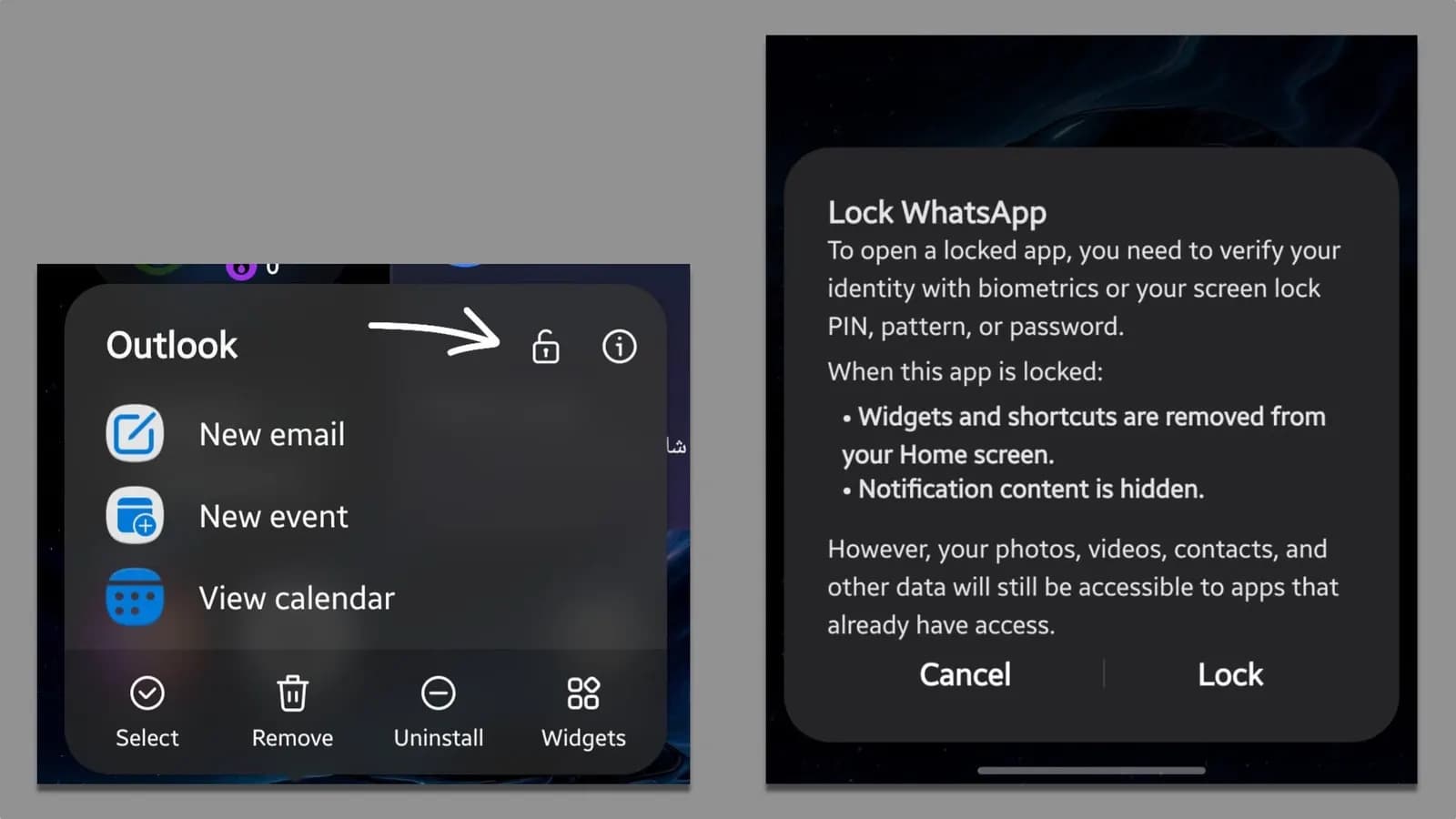
One of the most welcome additions could be a simple lock that works directly on an app. Samsung's Secure Folder offers a separate space for private apps and files, but users have long asked for the ability to lock an app right where it sits.
In the leaked One UI 9.5 build, the shortcut menu that appears when you long-press an app or game icon on the home screen or in the app drawer includes a padlock icon. Locked apps use the phone's existing screen lock method, so there is no new password or PIN to remember.
Glass-style design and search within thumb's reach
Samsung appears to be adding a glass-inspired look to parts of the interface. Floating tab bars, widgets and action buttons have brighter edges and shadows that give a sense of depth. Early leaks also point to smoother home screen animations, new fingerprint enrollment visuals and changes to the Camera controls, whose quick settings menus open as floating layers with round buttons and some gold-toned accents.
A visual asset found in the Nearby Devices app shows black-background icons with colored details for apps such as Gallery, Phone, Messages and My Files. They are thought to switch on automatically when Dark Mode is enabled, though that asset alone does not confirm the final implementation.
Many Samsung apps also move key controls into the area the thumb can reach. In the Phone app, search shifts from the top of the screen to the bottom bar, next to Keypad, Recents and Contacts. Samsung Calendar gives search its own round button at the bottom right and adds Important events shortcuts to the search screen. In its sidebar, Settings, Sync now and Recycle bin are grouped above the calendar and account list. In Samsung Notes, search moves to the bottom right and the New Note button to the bottom center, with a subtle shimmer effect and refreshed animations. Sensitive information in private notes is masked in small previews outside those notes.
Custom widgets and a Memory app
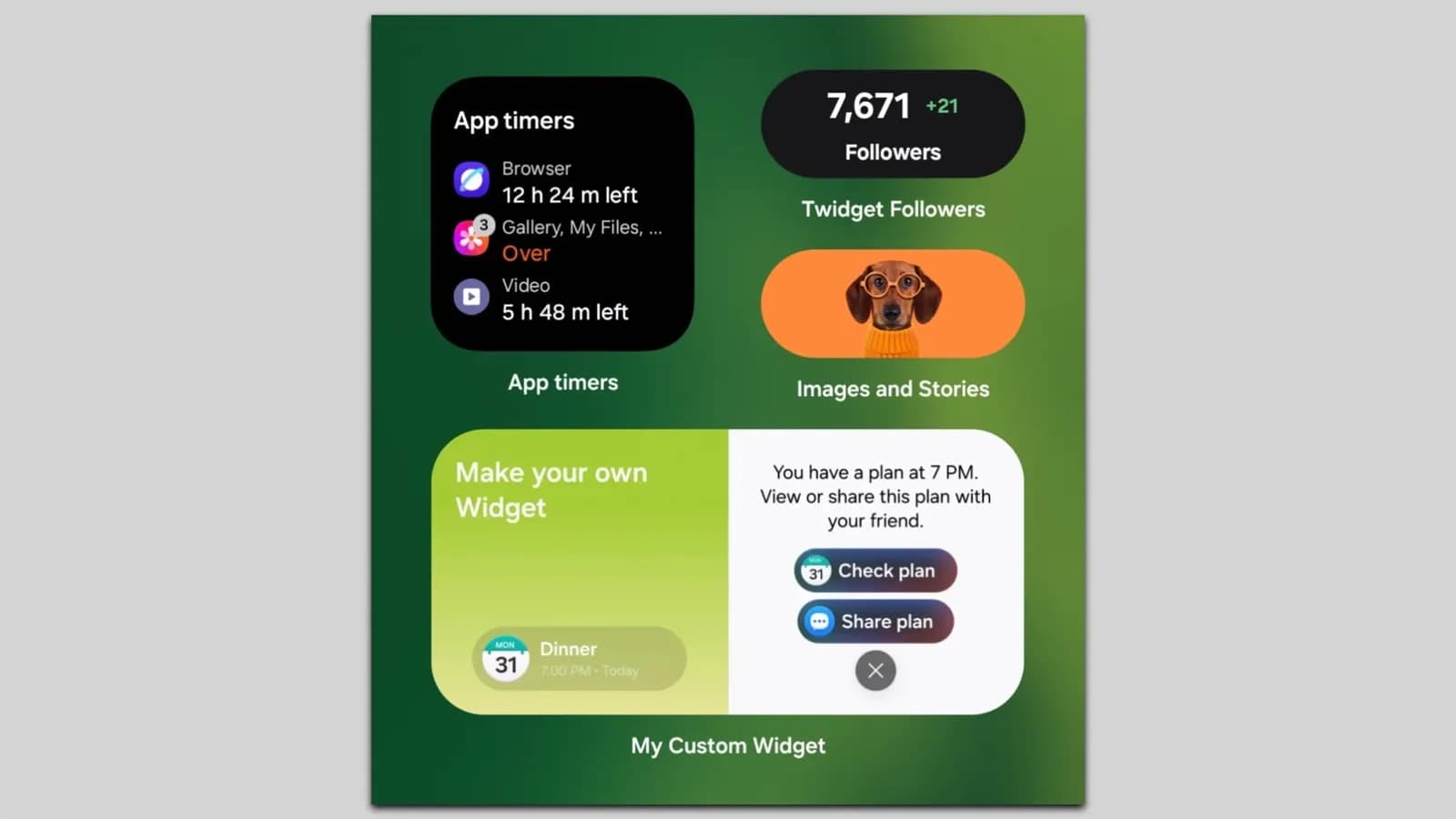
Samsung is reportedly working on My Custom Widget, which would let users pull information from supported apps into a personalized layout. One example shown combines Calendar and Messages data into a widget for sharing a travel plan with friends. It looks more flexible than picking from a ready-made widget list, although the full range of customization options has not been revealed.
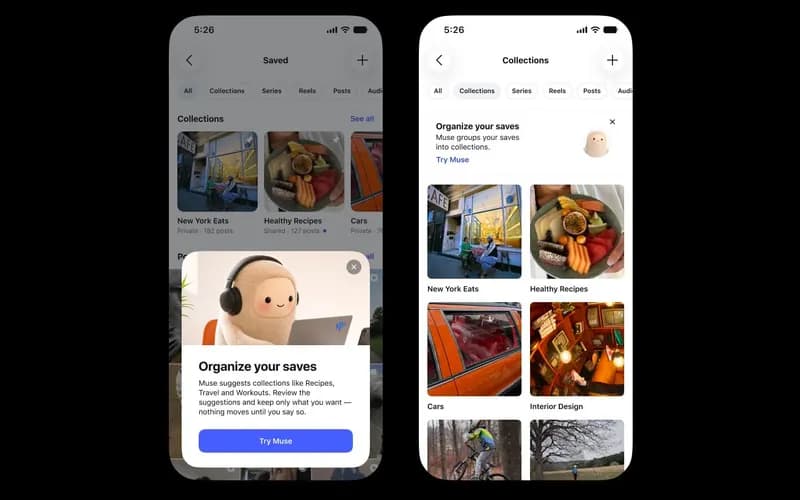
The Memory app in development aims to collect screenshots, links, text, voice notes and content shared from other apps in a single place. Galaxy AI generates titles, summaries and tags, and groups related items into collections. The app can recover the original web page link from a screenshot and pull useful details from a pasted link. Entries can be edited, favorited and locked, and users can organize collections themselves. Quick capture options are also defined, such as a three-finger screenshot gesture or holding Volume Up and the Side key together to record a voice note.
Bixby takes over repetitive tasks
Samsung is preparing a more capable version of Bixby that can turn conversational requests into recurring tasks. In the source's own test, asking for the USD-INR exchange rate every morning created a scheduled action. Bixby asks for confirmation before activating it, and in the Actions section tasks can be paused, deleted or pinned, with activity history available for review.
A broader system called Personal Agent Core is being developed to coordinate workflows across Samsung and Google apps. Scenarios include checking the calendar, messaging someone about a meeting, tracking replies and adding confirmed plans to Calendar. All of these features rest on findings from the development stage and may change in the official release.
Add as a preferred source on Google
Comments
No comments yet. Be the first to comment.