
Gemini for Mac can now click, type and fill in forms for you
Google has added computer use to the Gemini app for Mac, letting it carry out multi-step tasks across desktop apps and the web while your screen and cursor stay free.
 Merhabyte Newsdesk · · 2 min read
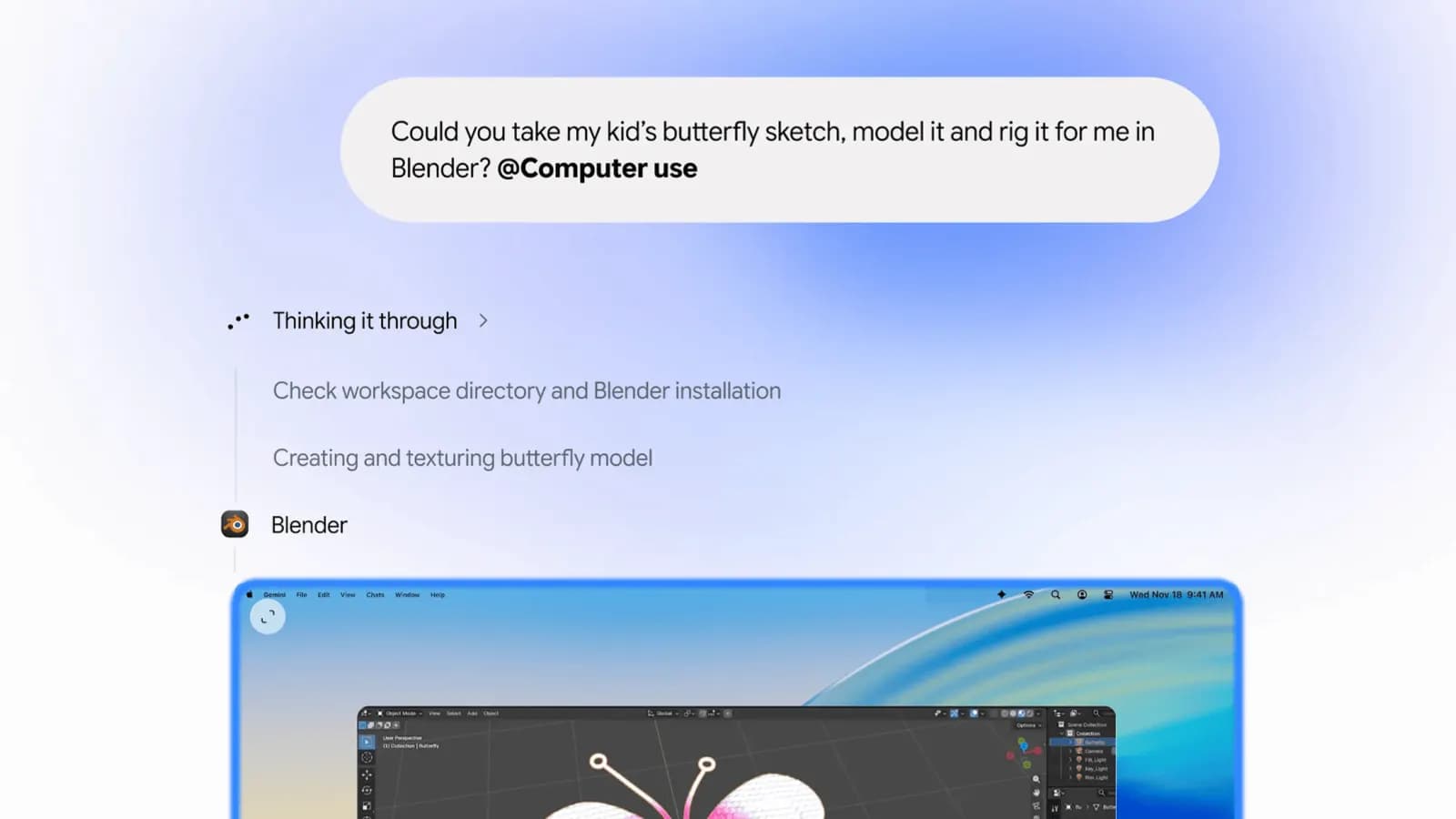
Google is bringing computer use to the Gemini app for Mac. With the new capability, Gemini can click and type on your behalf in native desktop apps and on the web, navigating menus, filling in forms and completing other multi-step tasks.
Until now, the Task feature, previously known as Gemini Spark, could only reach local files in the Mac app, and it worked alongside connected apps such as @Gmail or @Google Calendar. With computer use, Gemini can work across desktop apps and websites that are not connected to one another.
A sandboxed window running in the background
According to Google, Gemini works in an isolated background window and shows a live preview inside the chat. Your main screen and cursor remain available, so you can get on with other work while the assistant carries out the task.
The company points out that most everyday work is scattered across unconnected desktop apps and websites. Computer use is meant to handle those tedious in-between steps in the background so you save time without giving up your screen or cursor. Navigating menus and filling in forms are the main examples Google cites. Given that Task was limited to local files and connected apps, the real change is that Gemini can now operate interfaces directly.
Safeguards and user control
Google has built in several checkpoints for the user. You can stop Gemini at any moment with a single click, and you decide which apps it is allowed to use.
When it reaches sign-in and payment steps, the system pauses, and sensitive actions require separate confirmation. In other words, steps such as entering a password or paying for something need the user to step in; the assistant does not proceed on its own at those points.
How to use it and who gets it
To use the feature, you simply include @Computer use in your prompt. Under Customize > Connectors, new "Desktop" apps such as Blender and Autodesk Fusion begin to appear alongside the existing Git and Obsidian integrations. Both Blender and Autodesk Fusion are 3D modeling and design tools, so their presence in the list suggests the feature is not aimed solely at office-style tasks.
Computer use is rolling out gradually from today to Google AI Plus, Pro and Ultra subscribers in US English. The announcement mentions only US English, and no details were shared about other languages or regions, so it is unclear when users elsewhere, including in Turkey, will get access.
Add as a preferred source on Google
Comments
No comments yet. Be the first to comment.